

Setting Up Your Webhook Endpoint
To successfully receive and process events from CometChat, your webhook endpoint must meet the following criteria:- Use HTTPS – All webhook URLs must be secured with SSL.
- Be publicly accessible – Your server should be reachable from the internet.
- Support POST method – Events will be delivered as
HTTP POSTrequests withapplication/jsoncontent. - Return a 200 OK – Your endpoint must acknowledge receipt by responding with
HTTP 200.
Securing Your Webhook
Basic Authentication (Recommended)
To ensure only authorized systems can access your endpoint, use Basic Authentication:Token-based files access
Token-based file access provides improved control over media files through pre-signed URLs. When this feature is enabled, media URLs in webhook payloads may return a 401 Unauthorized response. You can enable this feature in the Settings section under Chats in the CometChat dashboard. Once enabled, it cannot be disabled.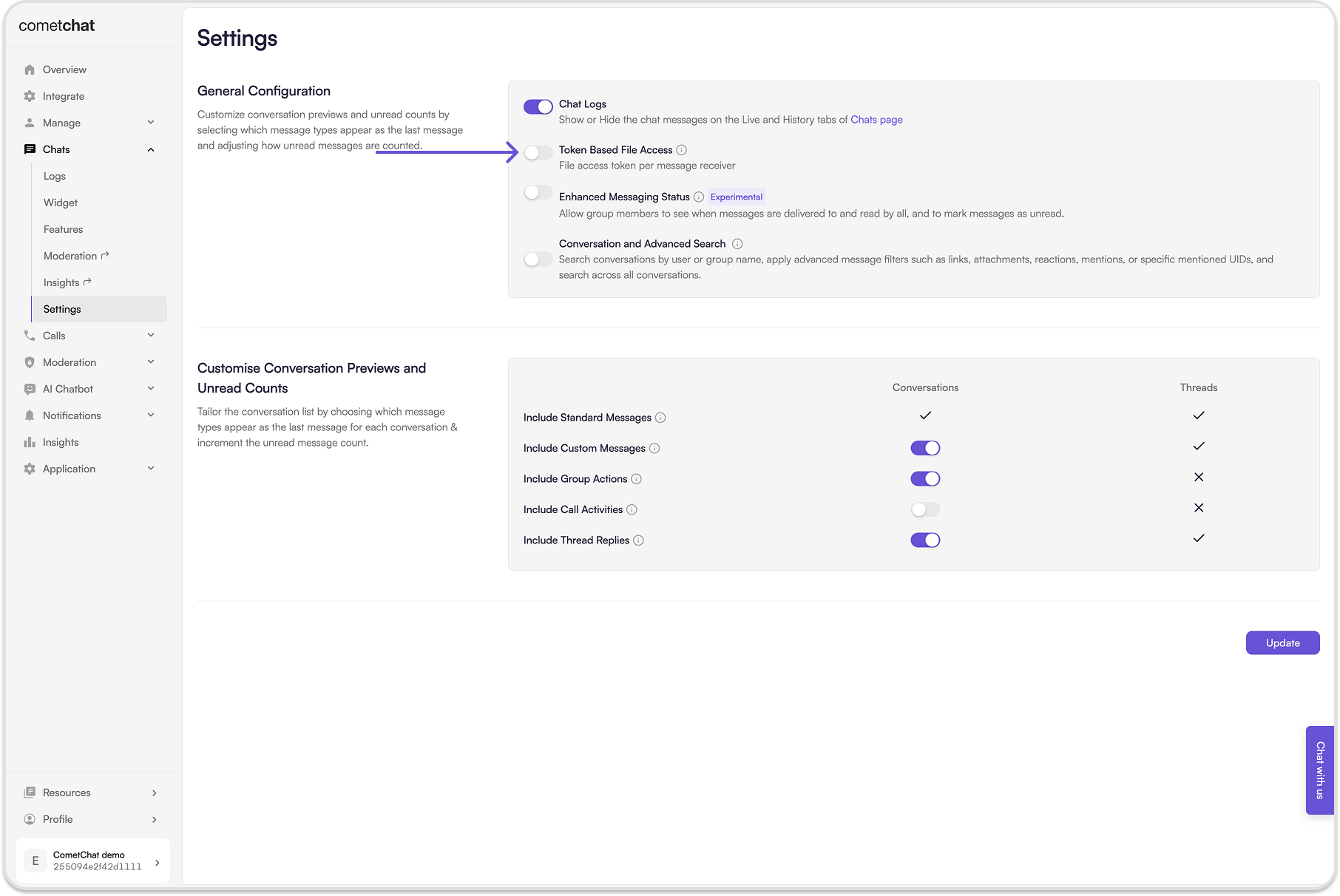
Webhook Best Practices
To maximize reliability and avoid common issues, follow these recommendations:1. Handle Retries Gracefully
-
Use the
retryOnFailureflag when setting up webhooks. -
If enabled, CometChat retries failed deliveries:
- First retry: after 10 seconds.
- Second retry: after 30 seconds.
- Use unique event IDs from payloads to deduplicate retries.
2. Respond Quickly
- Respond within 2 seconds to prevent timeouts.
- For long processing tasks, enqueue events to systems like Kafka, RabbitMQ, or AWS SQS, and process them asynchronously.
3. Log and Monitor
- Maintain detailed logs of all incoming webhook requests and your server responses.
- Track failures, latency, and retry attempts.
4. Implement Robust Error Handling
-
Return appropriate HTTP status codes:
200 OKfor success.4xxfor client-side errors (e.g., bad request).5xxfor server-side issues.
5. Thoroughly Test Before Production
- Simulate various conditions: successful delivery, retries, and failures.
- Ensure your implementation handles all cases gracefully.
Webhook Event Triggers
CometChat supports webhook triggers for different categories of events. Click each event name to see its payload and details.Message Events
User Events
Group Events
Call and Meeting Events
Moderation Events
By following this guide, you can seamlessly integrate CometChat webhooks into your system and build event-driven experiences at scale.