

Option 1: Manage from the Dashboard
To manage webhooks using the CometChat dashboard: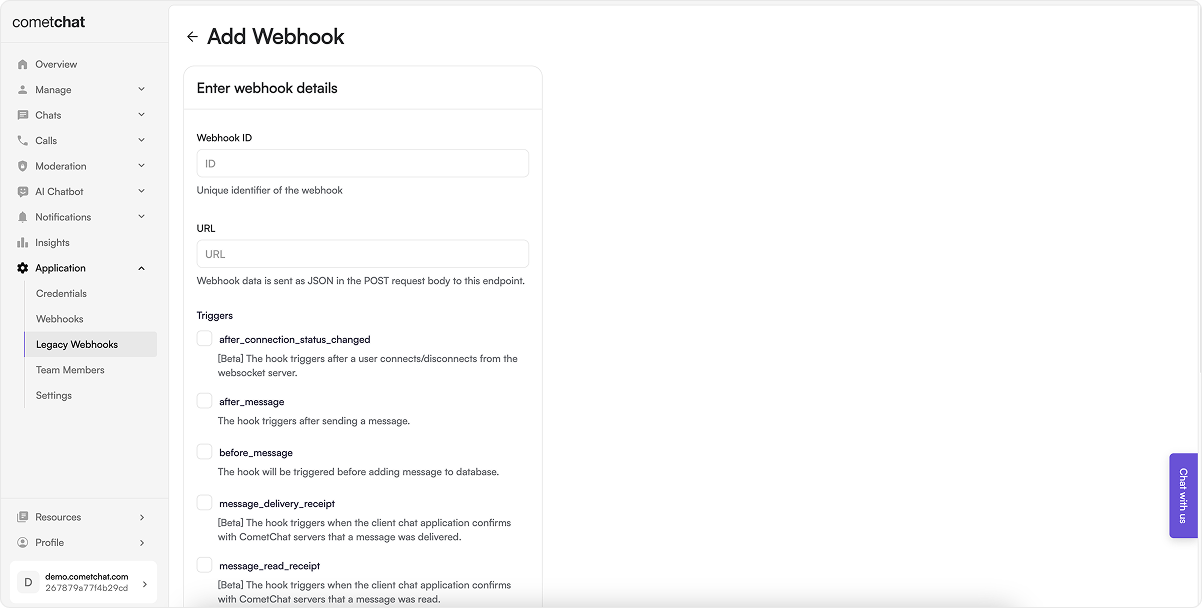
Steps:
- Log in to your CometChat Dashboard and select your app.
- Go to Settings > Legacy Webhooks from the left menu.
- Click on Add New Webhook.
-
Fill in the configuration:
- Webhook ID: A unique identifier for your webhook.
- URL: Endpoint where event payloads will be delivered.
- Triggers: Select the events you want to receive.
- Security: (Recommended) Enable authentication.
- Enable the webhook.
- Save the configuration.
Option 2: Manage via Management APIs
CometChat also provides Management APIs to automate webhook and trigger management.Webhook Management Endpoints
Trigger Management Endpoints
Choose the method that best suits your workflow—dashboard for manual setup or APIs for automated, scalable integration.