Implementation
Once you have decided to implement Direct Calling followed the steps to implement them. Just few additional listeners and methods will help you quickly implement call recording in your app. You need to make changes in theCometChatCalls.startSession() method and add the required listeners for recording. Please make sure your callSettings is configured accordingly for Direct Calling.
A basic example of how to make changes to implement recording for a direct call/ a default call:
- JavaScript
- TypeScript
Settings for call recording
TheCallSettings class allows you to customise the overall calling experience. The properties for the call/conference can be set using the CallSettingsBuilder class. This will eventually give you an object of the CallSettings class which you can pass to the startSession() method to start the call.
The options available for recording of calls are:
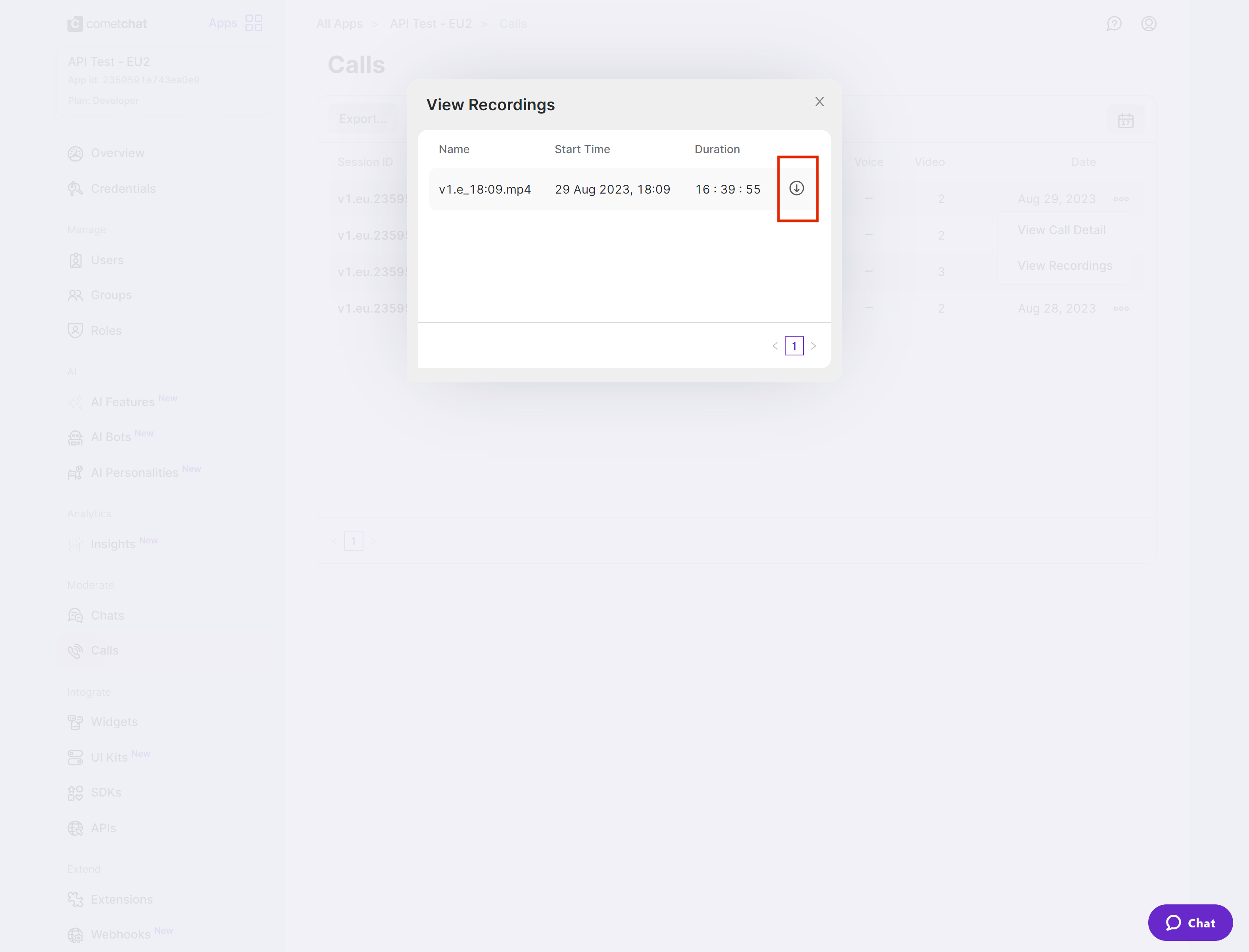
Downloading Recording
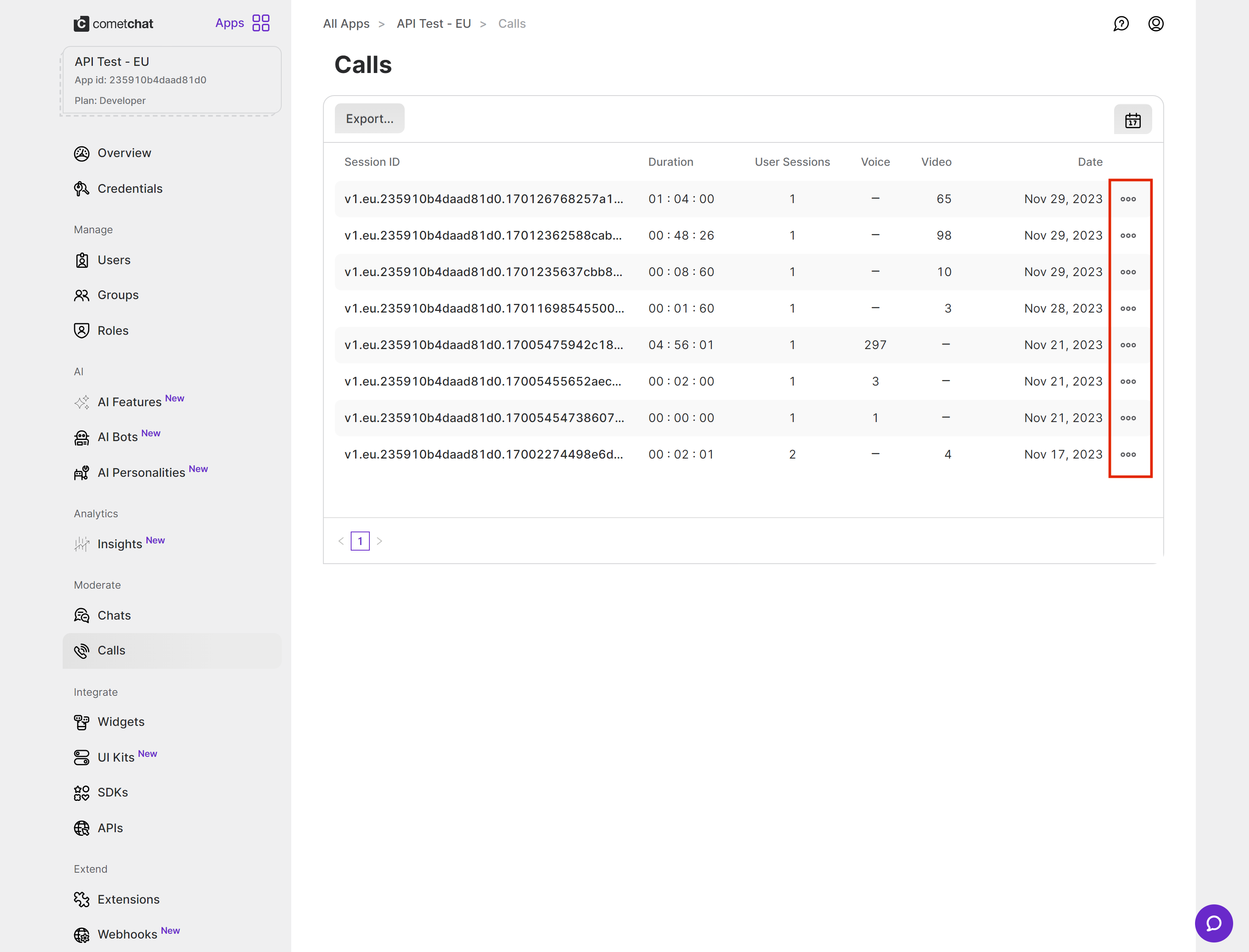
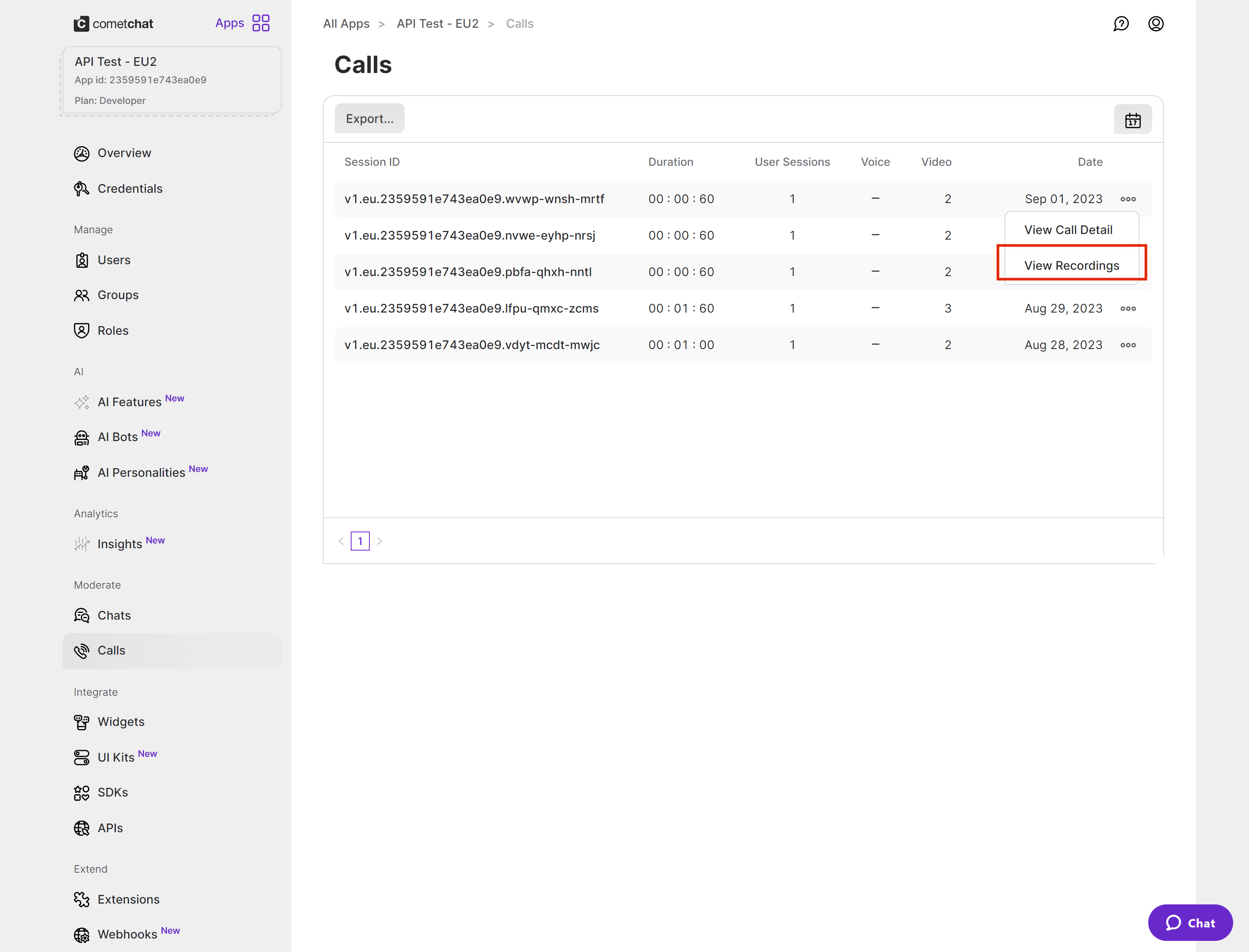
Currently, the call recordings are available on the CometChat Dashboard under the Calls Section. You can refer to the below screenshot.