

Before getting started
Go through the overview to set up Chat Widget from the CometChat DashboardInstallation
- Download the CometChat Pro plugin
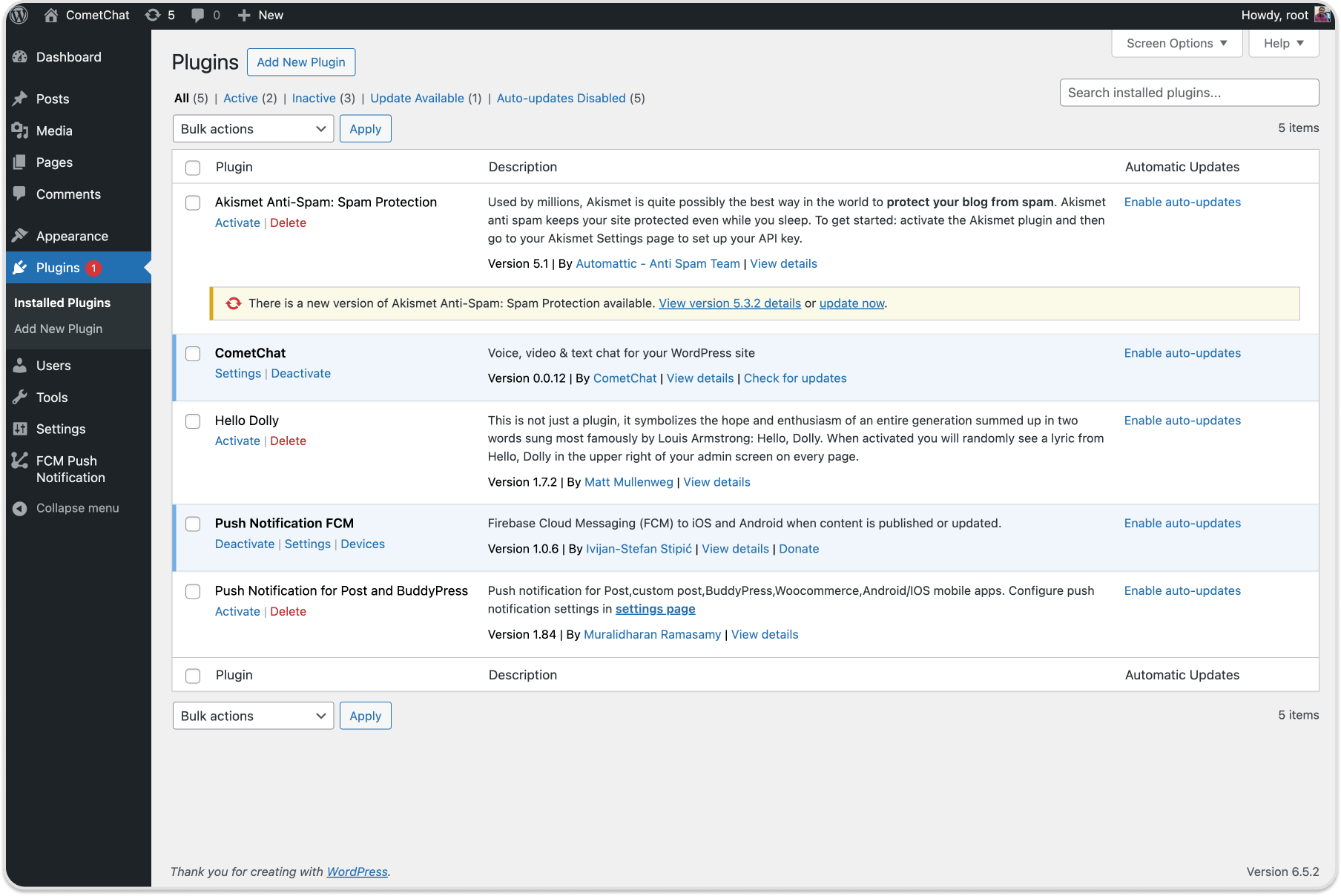
- Go to the WordPress Admin section and visit Plugins > Add New
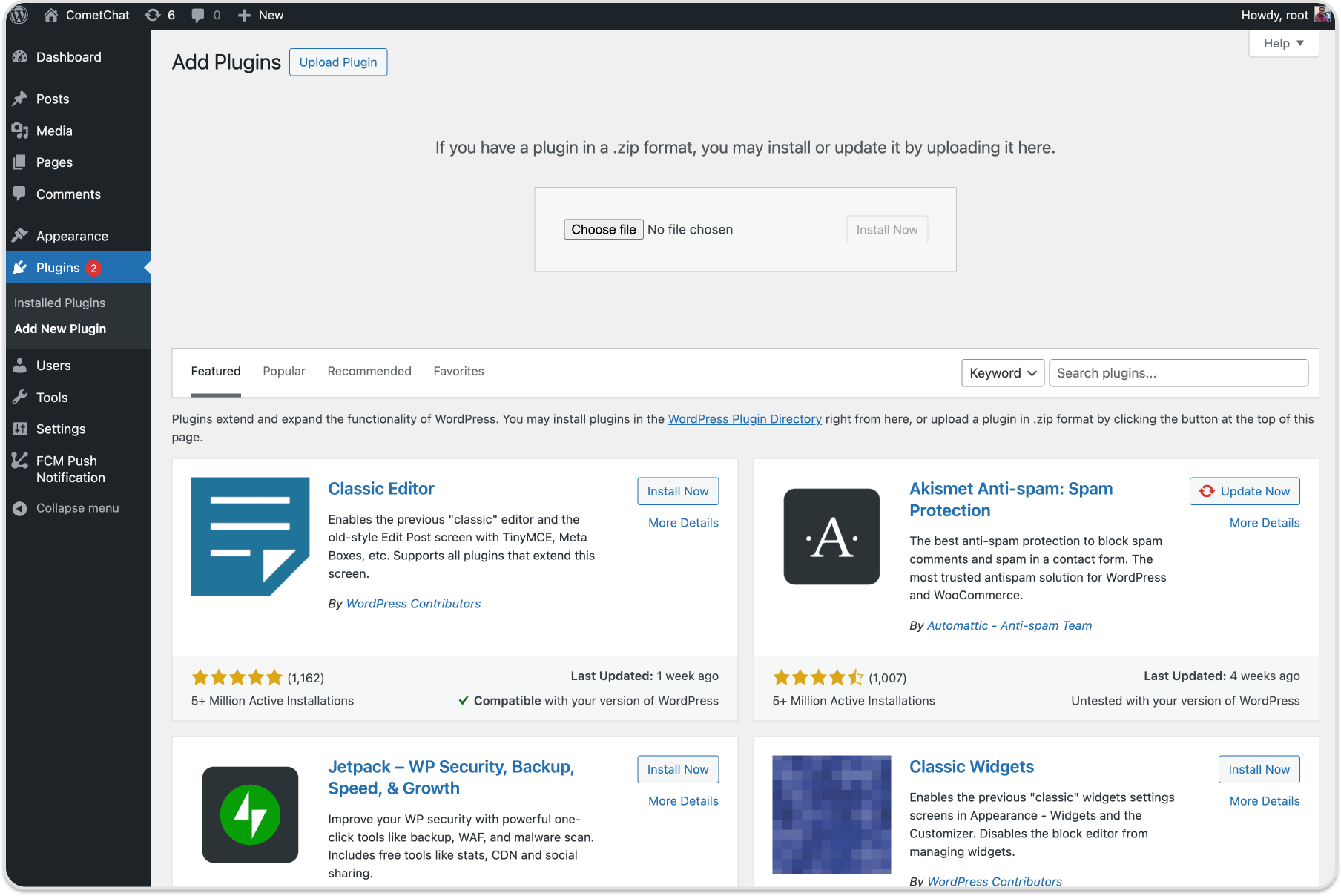
- Click on the ‘Upload Plugin’ button, here you need to click on the ‘Choose File’ button and select the plugin zip file. After you have selected the file, you need to click on the ‘Install Now’ button.
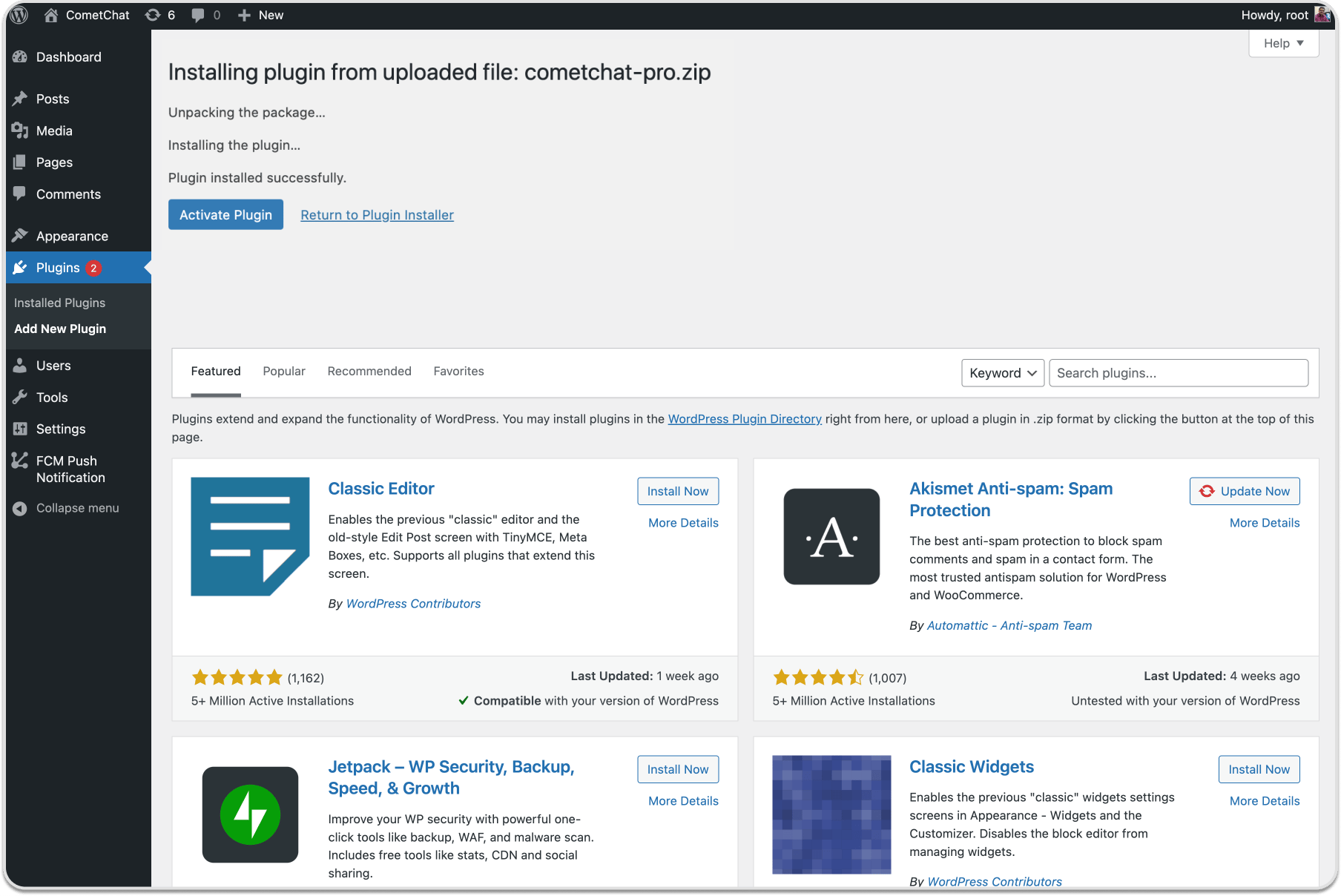
- WordPress will now upload the plugin file and install it for you.
- Once installed, you need to click on the ‘Activate Plugin’ link to start using the plugin.
Configuration
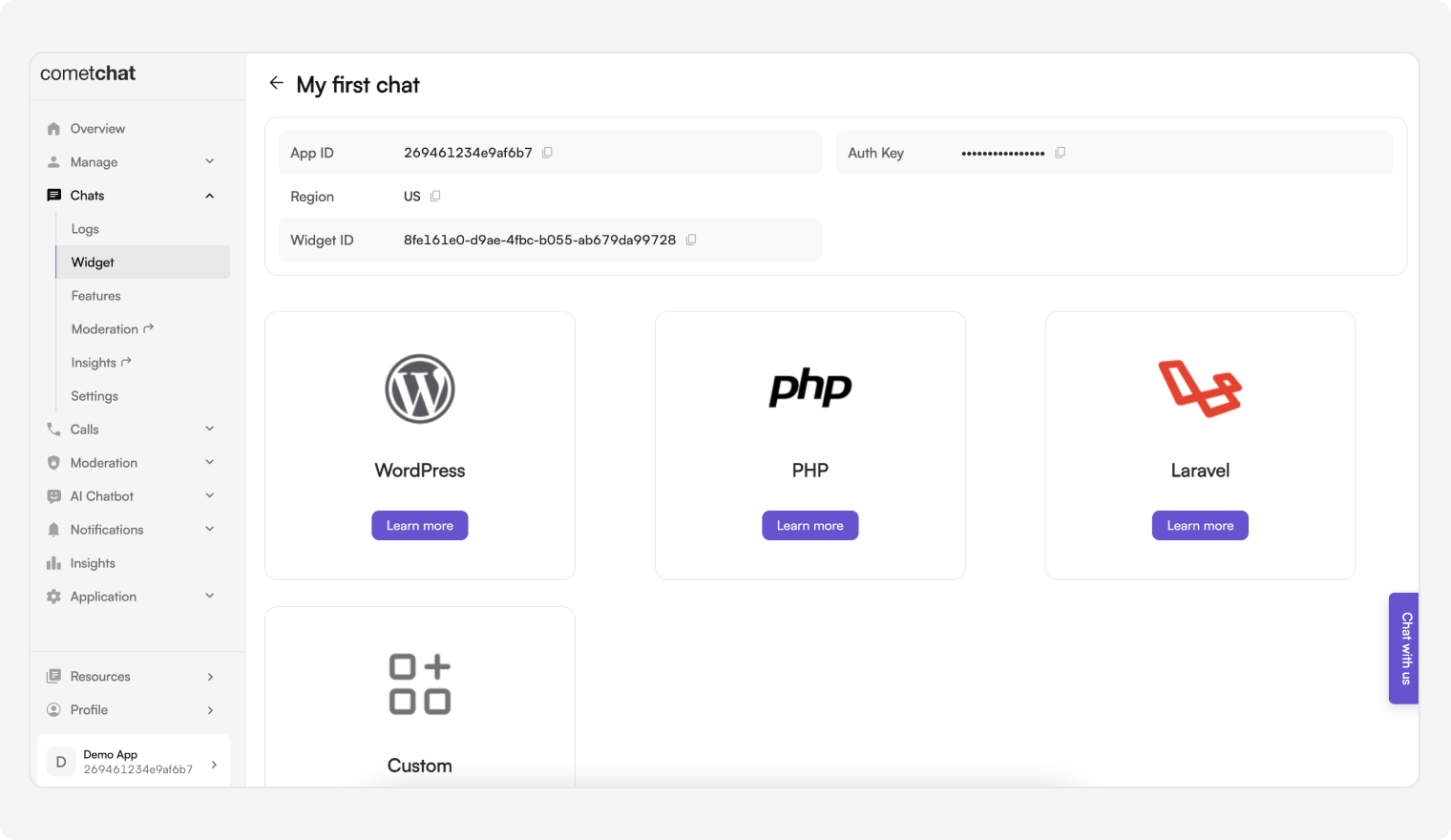
- You can access the App ID, Region, REST API Key, and Auth Key from the CometChat Dashboard under: Chats → Widget
- Add CometChat
App ID, - Select CometChat
Region - Add CometChat
Rest API Key - Add CometChat
Auth Key
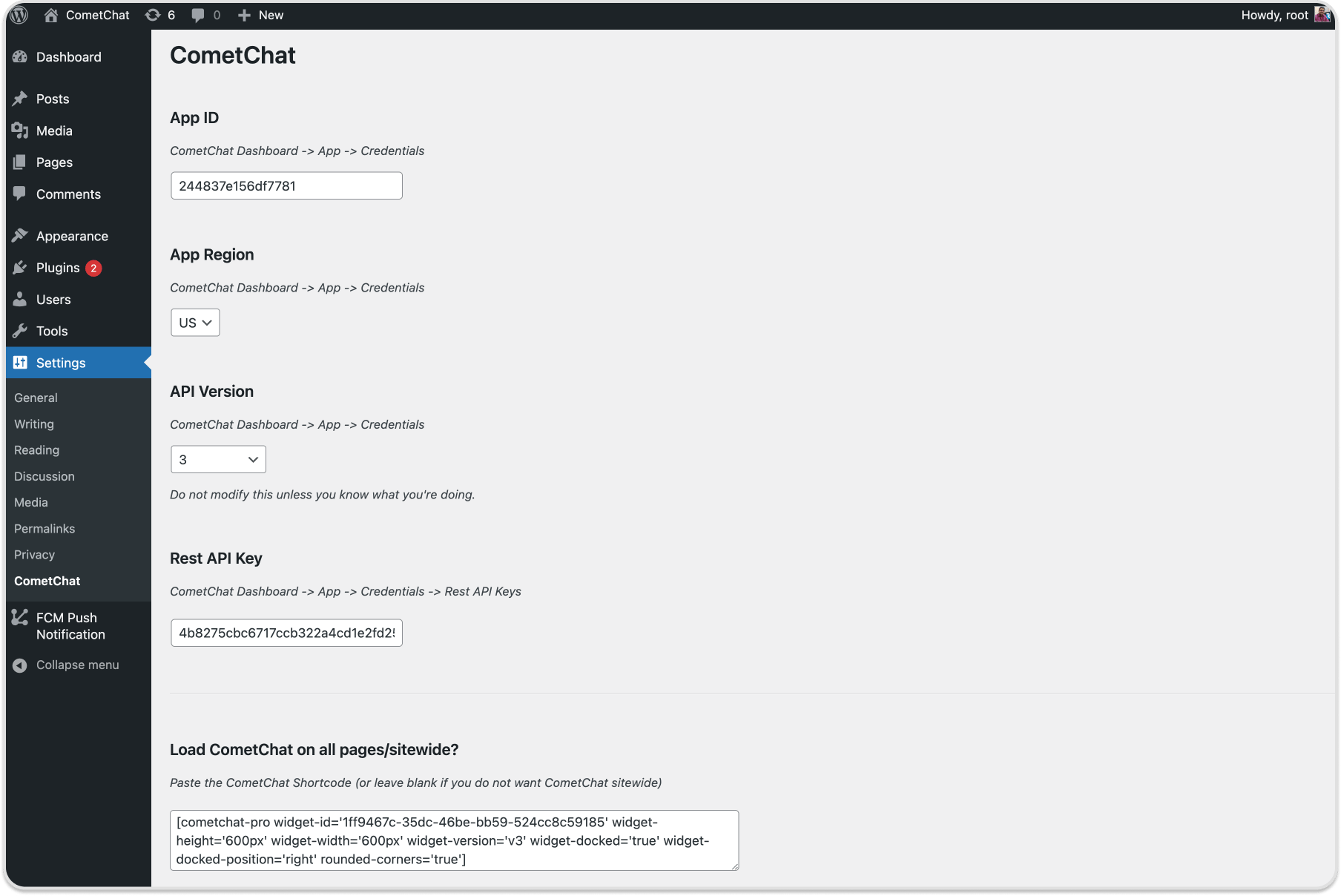
- Once the
Update Settingsbutton is clicked, the WordPress login user will automatically be registered as a user in the CometChat dashboard - You have two options to load the chat widget layout of your choice
- Embedded Layout
- Docked Layout
Embedded Layout
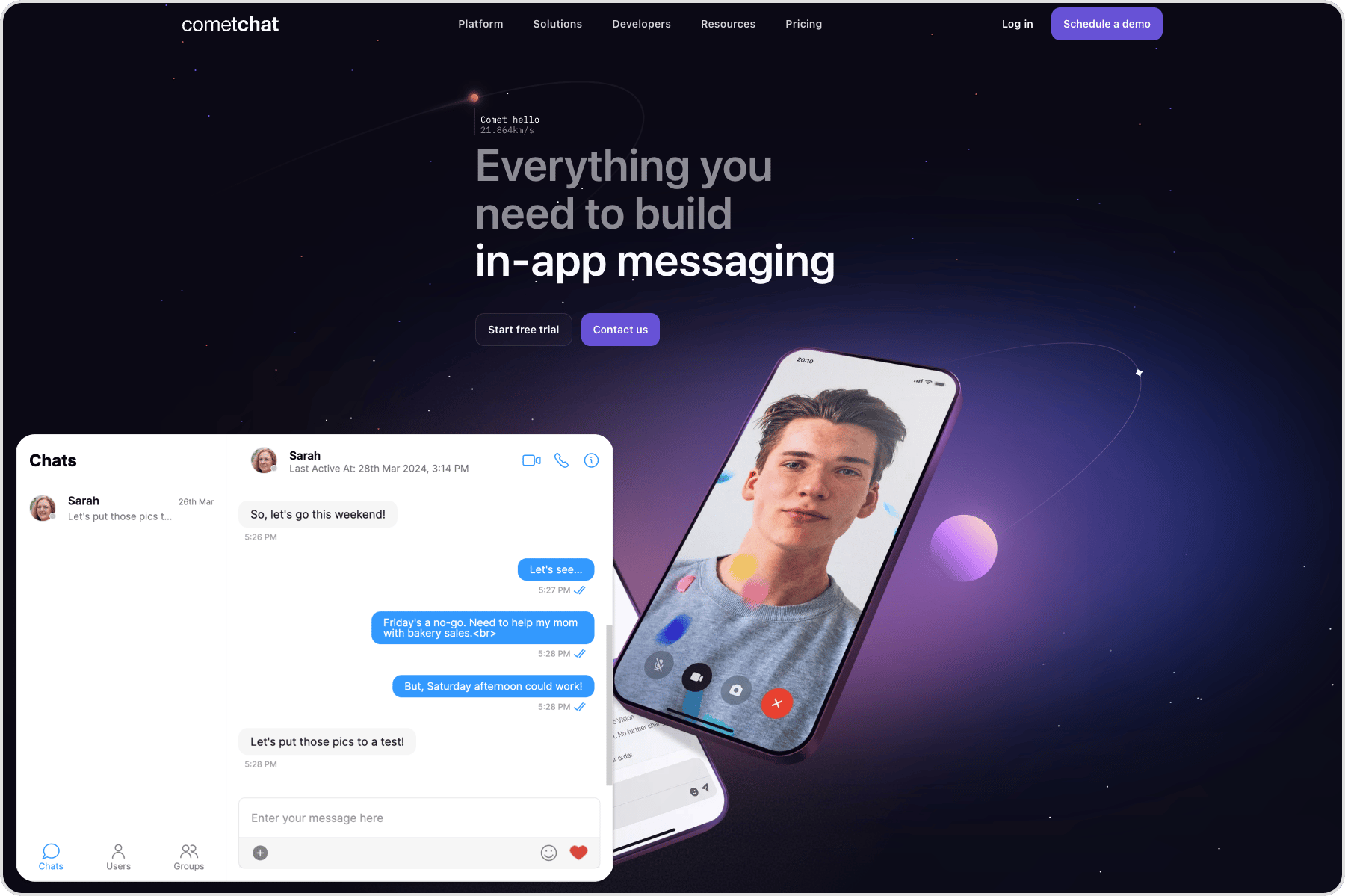
- WordPress
You may pass optional parameters in the short code
Docked Layout
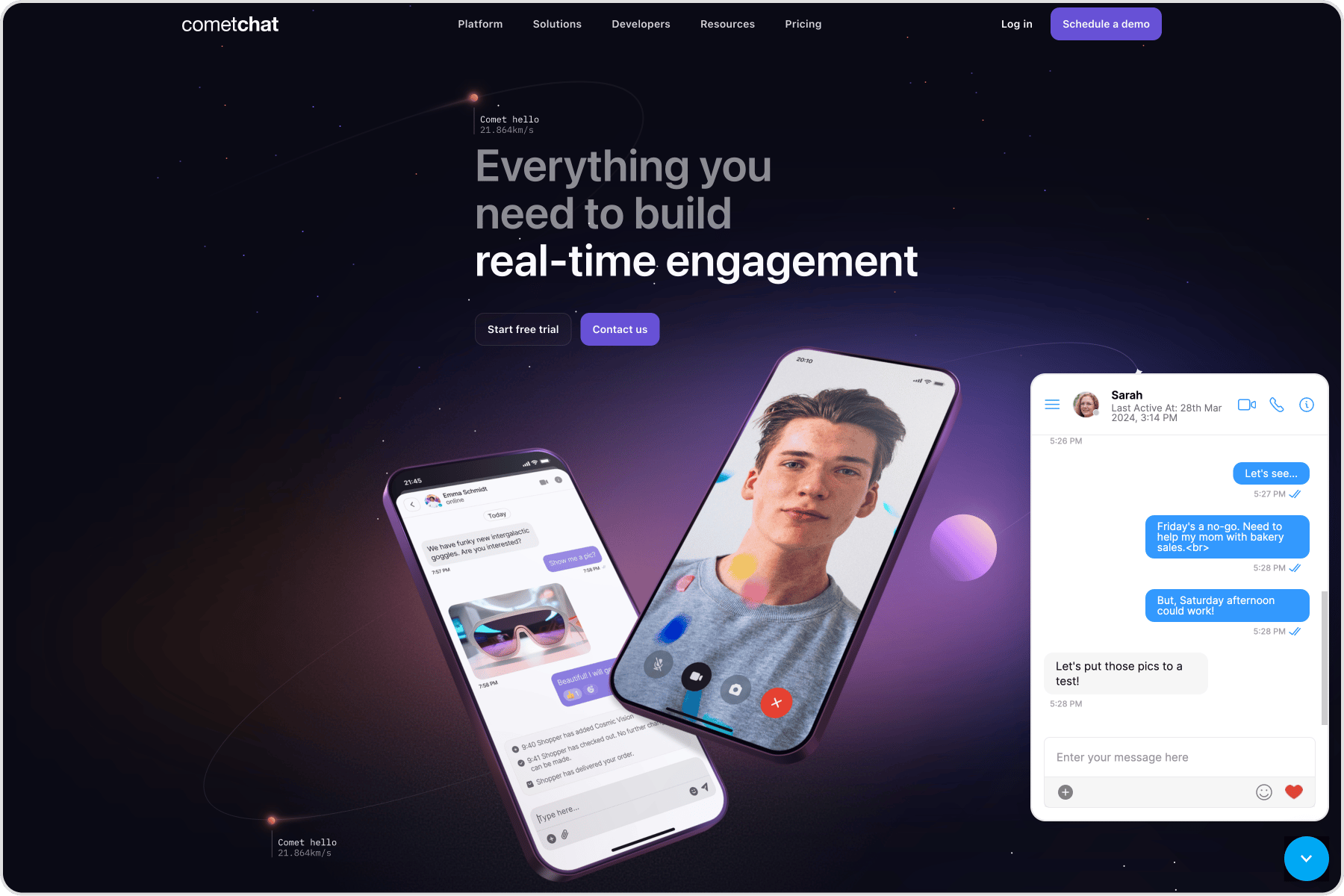
- WordPress
You may pass optional parameters in the short code
Show docked layout on all pages
- Visit WordPress Settings and then to CometChat Pro
- Copy the above short code and paste under Load CometChat Pro on all pages/sitewide?
Advanced Features
Open or close chat window Chat window of docked layout can be opened/closed using the below method. This method can be triggered on the click event of any element of your web page.- JavaScript
Chat with a particular user
This method will open a particular user chat window. This method can be triggered by the click event of any element of your web page.- JavaScript
Chat with a particular group
This method will open a particular group chat window. This method can be triggered by the click event of any element of your web page.- JavaScript
Initiate calls with a particular user
This method will initiate a call with the user. This method can be triggered by the click event of any element of your web page.- JavaScript
Initiate calls with a particular group
This method will initiate a call with the group. This method can be triggered by the click event of any element of your web page.- JavaScript
Message Listener
We have provided a callback that is fired every time a message is received. You can use this to show Custom Notifications on your website or perform some other custom action as per your requirement.- JavaScript
Chat open state listener
We have provided a callback that is fired every time the docked layout of the chat widget is in an open state. You can use this to perform some custom action as per your requirement.- JavaScript
Chat closed state listener
We have provided a callback that is fired every time the docked layout of the chat widget is in a closed state. You can use this to perform some custom action as per your requirement.- JavaScript
Localization
With language localization, our Chat Widget adapts to the language of a specific country or region. Chat Widget allows you to detect the language of your users based on their browser settings and set the language of the widget accordingly. Currently, we support the following 10 languages for localization:- English (en, en-US, en-GB)
- Chinese (zh, zh-TW)
- Spanish (es)
- Hindi (hi)
- Russian (ru)
- Arabic (ar)
- Portuguese (pt)
- Malay (ms)
- French (fr)
- German (de)
- Swedish (sv)
- Lithuanian (lt)
- Hungarian (hu)
- JavaScript