

Overview
MessageComposer is a Component that enables users to write and send a variety of messages, including text, image, video, and custom messages. Features such as Live Reaction, Attachments, and Message Editing are also supported by it.
Usage
Integration
The following code snippet illustrates how you can directly incorporate theCometChatMessageComposer component into your app.
- App.tsx
Actions
Actions dictate how a component functions. They are divided into two types: Predefined and User-defined. You can override either type, allowing you to tailor the behavior of the component to fit your specific needs.onSendButtonPress
TheonSendButtonPress event gets activated when the send message button is clicked. It has a predefined function of sending messages entered in the composer EditText. However, you can overide this action with the following code snippet.
- App.tsx
onError
This action doesn’t change the behavior of the component but rather listens for any errors that occur in theCometChatMessageComposer component.
- App.tsx
onTextChange
Function triggered whenever the message input’s text value changes, enabling dynamic text handling.- App.tsx
Filters
MessageComposer component does not have any available filters.Events
Events are emitted by aComponent. By using event you can extend existing functionality. Being global events, they can be applied in Multiple Locations and are capable of being Added or Removed.
The list of events emitted by the Messages component is as follows.
Adding
CometChatMessageEvents Listener’s
- JavaScript
Removing
CometChatMessageEvents Listener’s
- JavaScript
Customization
To fit your app’s design requirements, you can customize the appearance of the MessageComposer component. We provide exposed methods that allow you to modify the experience and behavior according to your specific needs.Style
Using Style you can customize the look and feel of the component in your app, These parameters typically control elements such as the color, size, shape, and fonts used within the component.
Functionality
These are a set of small functional customizations that allow you to fine-tune the overall experience of the component. With these, you can change text, set custom icons, and toggle the visibility of UI elements. Below is a list of customizations along with corresponding code snippetsAdvanced
For advanced-level customization, you can set custom views to the component. This lets you tailor each aspect of the component to fit your exact needs and application aesthetics. You can create and define your views, layouts, and UI elements and then incorporate those into the component.TextFormatters
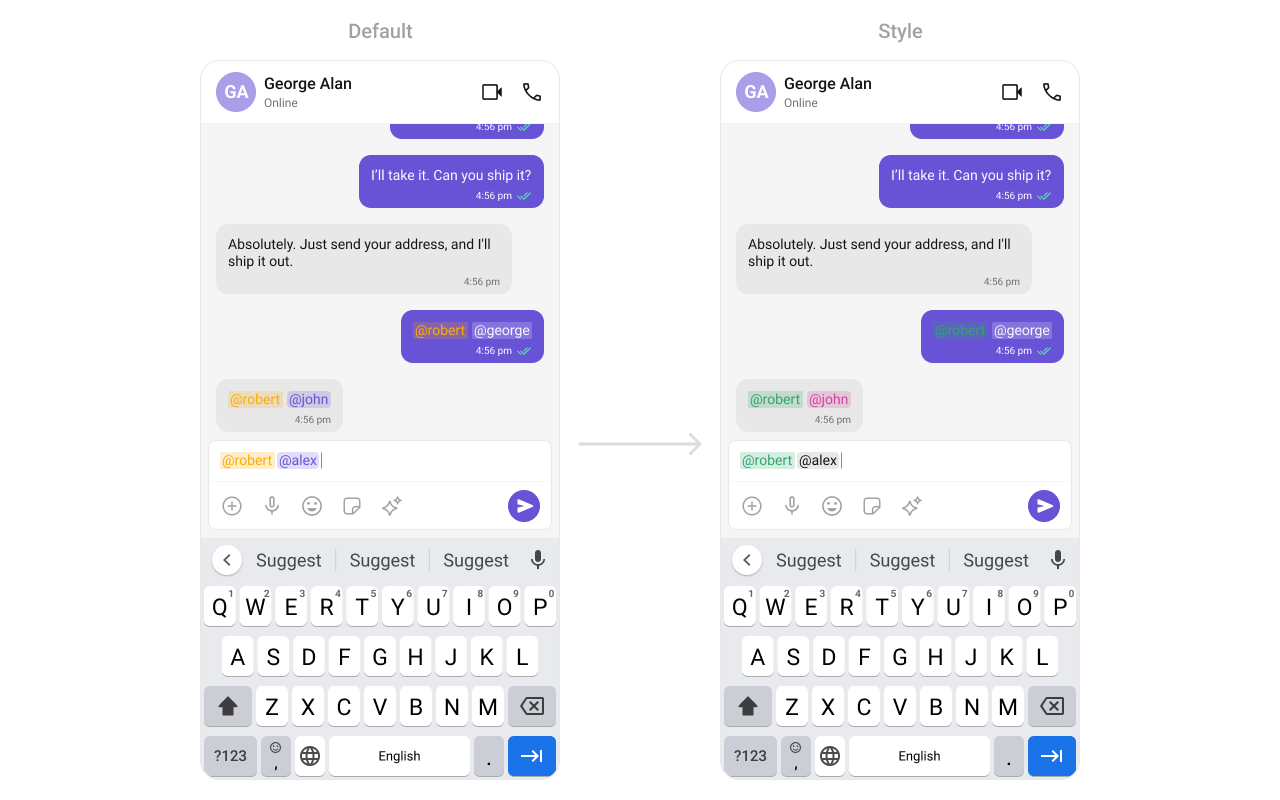
Assigns the list of text formatters. If the provided list is not null, it sets the list. Otherwise, it assigns the default text formatters retrieved from the data source. To configure the existing Mentions look and feel check out CometChatMentionsFormatter- App.tsx
AttachmentOptions
By usingattachmentOptions, you can set a list of custom MessageComposerActions for the MessageComposer Component. This will override the existing list of MessageComposerActions.
- App.tsx

AuxiliaryButtonView
You can insert a custom view into the MessageComposer component to add additional functionality using the following method.- App.tsx

SendButtonView
You can set a custom view in place of the already existing send button view. Using the following method.- App.tsx

HeaderView
You can set custom headerView to the MessageComposer component using the following method- App.tsx
