

Overview
CometChatCallLogs is a Component that shows the list of Call Logs available. By default, names are shown for all listed users, along with their avatars if available.
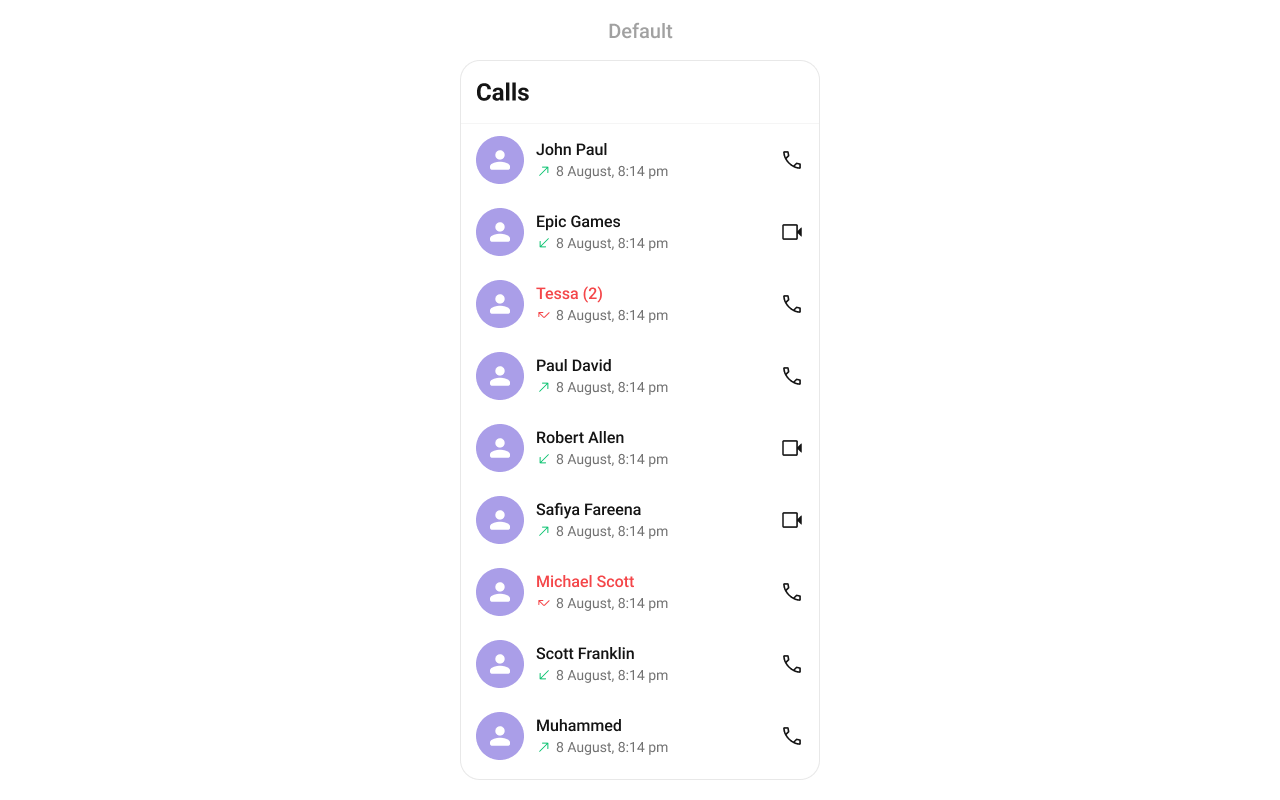
Usage
Integration
CometChatCallLogs being a wrapper component, offers versatility in its integration. It can be seamlessly launched via button clicks or any user-triggered action, enhancing the overall user experience and facilitating smoother interactions within the application.
Since CometChatCallLogs can be launched by adding the following code snippet to the XML layout file.
- XML
CometChatCallLogs within the XML code or in your activity or fragment then you’ll need to extract them and set them on the User object using the appropriate method.
- Java
- Kotlin
Activity and Fragment
You can integrateCometChatCallLogs into your Activity and Fragment by adding the following code snippets into the respective classes.
- Java (Activity)
- Kotlin (Activity)
- Java (Fragment)
- Kotlin (Fragment)
YourActivity.java
Actions
Actions dictate how a component functions. They are divided into two types: Predefined and User-defined. You can override either type, allowing you to tailor the behavior of the component to fit your specific needs.setOnItemClick
Function invoked when a call log item is clicked, typically used to open a detailed chat screen.- Java
- Kotlin
YourActivity.java
setOnItemLongClick
Function executed when a callLog item is long-pressed, allowing additional actions like delete or select.- Java
- Kotlin
YourActivity.java
setOnBackPressListener
OnBackPressListener is triggered when you press the back button in the app bar. It has a predefined behavior; when clicked, it navigates to the previous activity. However, you can override this action using the following code snippet.
- Java
- Kotlin
YourActivity.java
OnError
This action doesn’t change the behavior of the component but rather listens for any errors that occur in the callLogs component.- Java
- Kotlin
YourActivity.java
setOnLoad
Invoked when the list is successfully fetched and loaded, helping track component readiness.- Java
- Kotlin
YourActivity.java
setOnEmpty
Called when the list is empty, enabling custom handling such as showing a placeholder message.- Java
- Kotlin
YourActivity.java
Filters
Filters allow you to customize the data displayed in a list within a Component. You can filter the list based on your specific criteria, allowing for a more customized. Filters can be applied using RequestBuilders of Chat SDK.1. CallLogRequestBuilder
The CallLogRequestBuilder enables you to filter and customize the call list based on available parameters in CallLogRequestBuilder. This feature allows you to create more specific and targeted queries during the call. The following are the parameters available in CallLogRequestBuilder Example In the example below, we are applying a filter based on the limit and have a call recording.- Java
- Kotlin
Events
Events are emitted by aComponent. By using event you can extend existing functionality. Being global events, they can be applied in Multiple Locations and are capable of being Added or Removed.
The CometChatCallLogs component does not have any exposed events.
Customization
To fit your app’s design requirements, you can customize the appearance of the CallLog component. We provide exposed methods that allow you to modify the experience and behavior according to your specific needs.Style
Using Style you can customize the look and feel of the component in your app, These parameters typically control elements such as the color, size, shape, and fonts used within the component.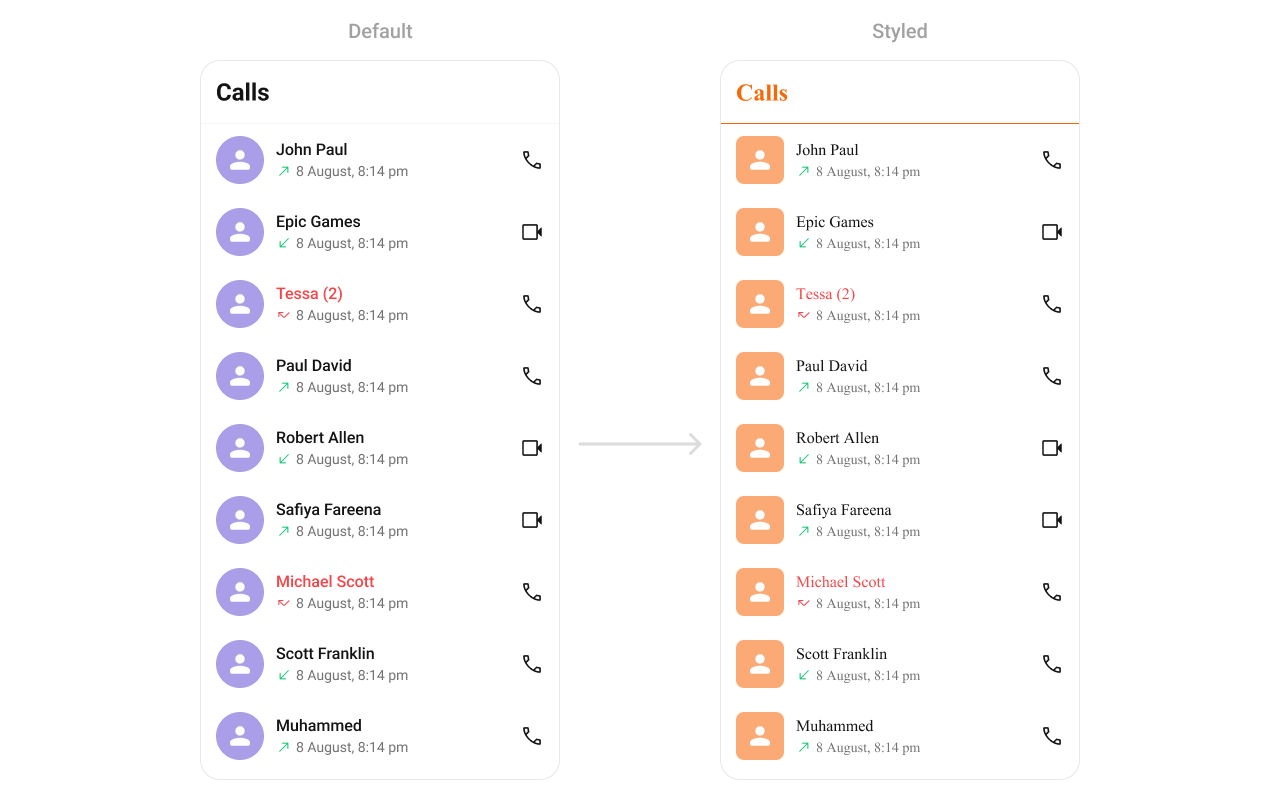
themes.xml
- Java
- Kotlin
To know more such attributes, visit the attributes file.
Functionality
These are a set of small functional customizations that allow you to fine-tune the overall experience of the component. With these, you can change text, set custom icons, and toggle the visibility of UI elements.Advanced
For advanced-level customization, you can set custom views to the component. This lets you tailor each aspect of the component to fit your exact needs and application aesthetics. You can create and define your views, layouts, and UI elements and then incorporate those into the component.setOptions
Defines the available actions users can perform on a call log entry, such as deleting, marking as spam, or calling back. Use Cases:- Provide quick call-back options.
- Allow users to block a number.
- Enable deleting multiple call logs.
- Java
- Kotlin
addOptions
Adds custom actions to the existing call log options. Use Cases:- Add favorite/star call log option.
- Integrate a “Send Message” option.
- Provide an archive feature.
- Java
- Kotlin
setDateTimeFormatter
By providing a custom implementation of the DateTimeFormatterCallback, you can configure how time and date values are displayed. This ensures consistent formatting for labels such as “Today”, “Yesterday”, “X minutes ago”, and more. Each method in the interface corresponds to a specific case:time(long timestamp) → Custom full timestamp format
today(long timestamp) → Called when a message is from today
yesterday(long timestamp) → Called for yesterday’s messages
lastWeek(long timestamp) → Messages from the past week
otherDays(long timestamp) → Older messages
minute(long timestamp) / hour(long timestamp) → Exact time unit
minutes(long diffInMinutesFromNow, long timestamp) → e.g., “5 minutes ago”
hours(long diffInHourFromNow, long timestamp) → e.g., “2 hours ago”
- Java
- Kotlin
setLoadingView
Allows setting a custom loading view when fetching call logs. Use Cases:- Display a spinner animation while loading.
- Show a “Fetching Call History…” message.
- Use a shimmer effect for better UI experience.
- Java
- Kotlin
setEmptyView
Defines a custom view when no call logs are available. Use Cases:- Show a friendly message like “No calls yet!”.
- Offer quick actions like “Make a Call”.
- Display an illustration/image.
- Java
- Kotlin
setErrorView
Allows setting a custom error state view when fetching call logs fails. Use Cases:- Display a retry button.
- Show a network issue message.
- Provide a troubleshooting guide.
- Java
- Kotlin
setItemView
Allows setting a custom layout for each call log item. Use Cases:- Customize the entire call log card.
- Display additional contact details.
- Use a two-column design for better readability.
- Java
- Kotlin
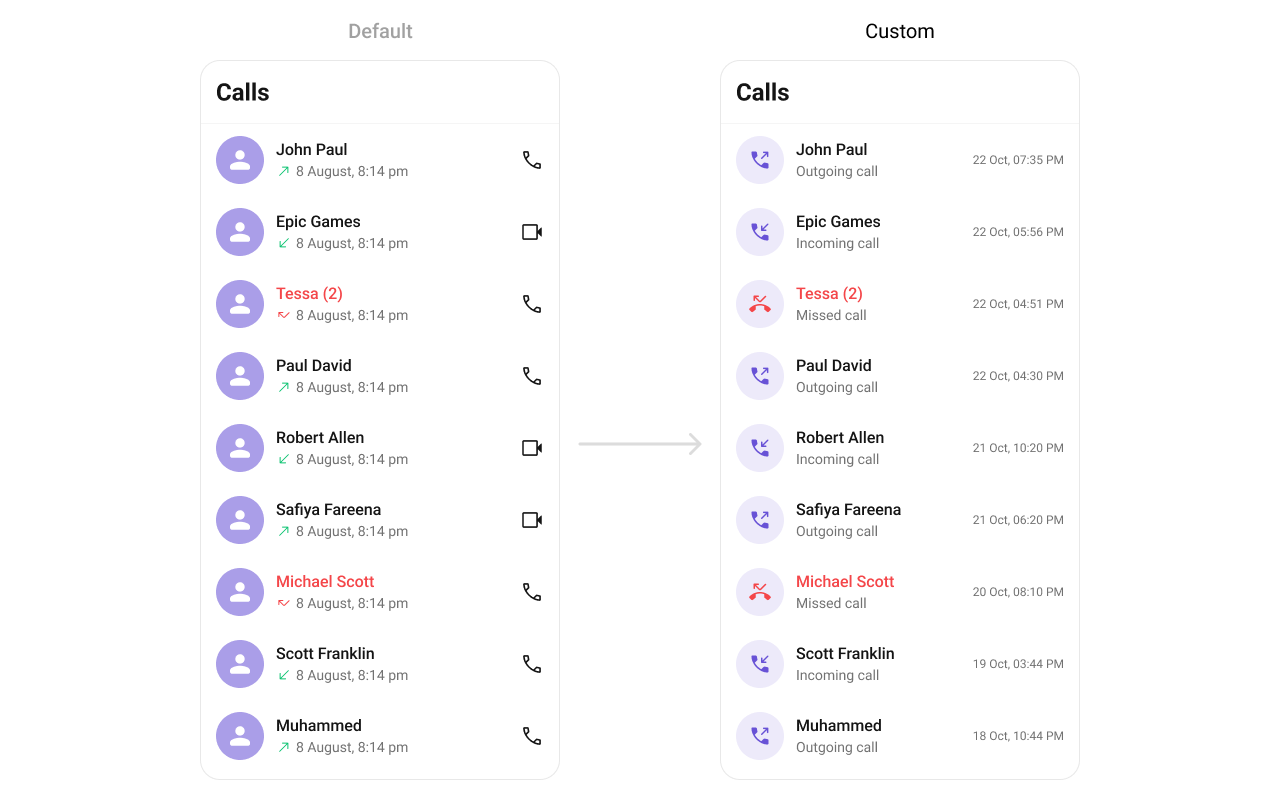
call_log_list_item.xml
- Java
- Kotlin
setTitleView
Allows setting a custom title view, typically used for the caller’s name or number. Use Cases:- Display caller’s full name.
- Show a business label for saved contacts.
- Use bold text for unknown numbers.
- Java
- Kotlin
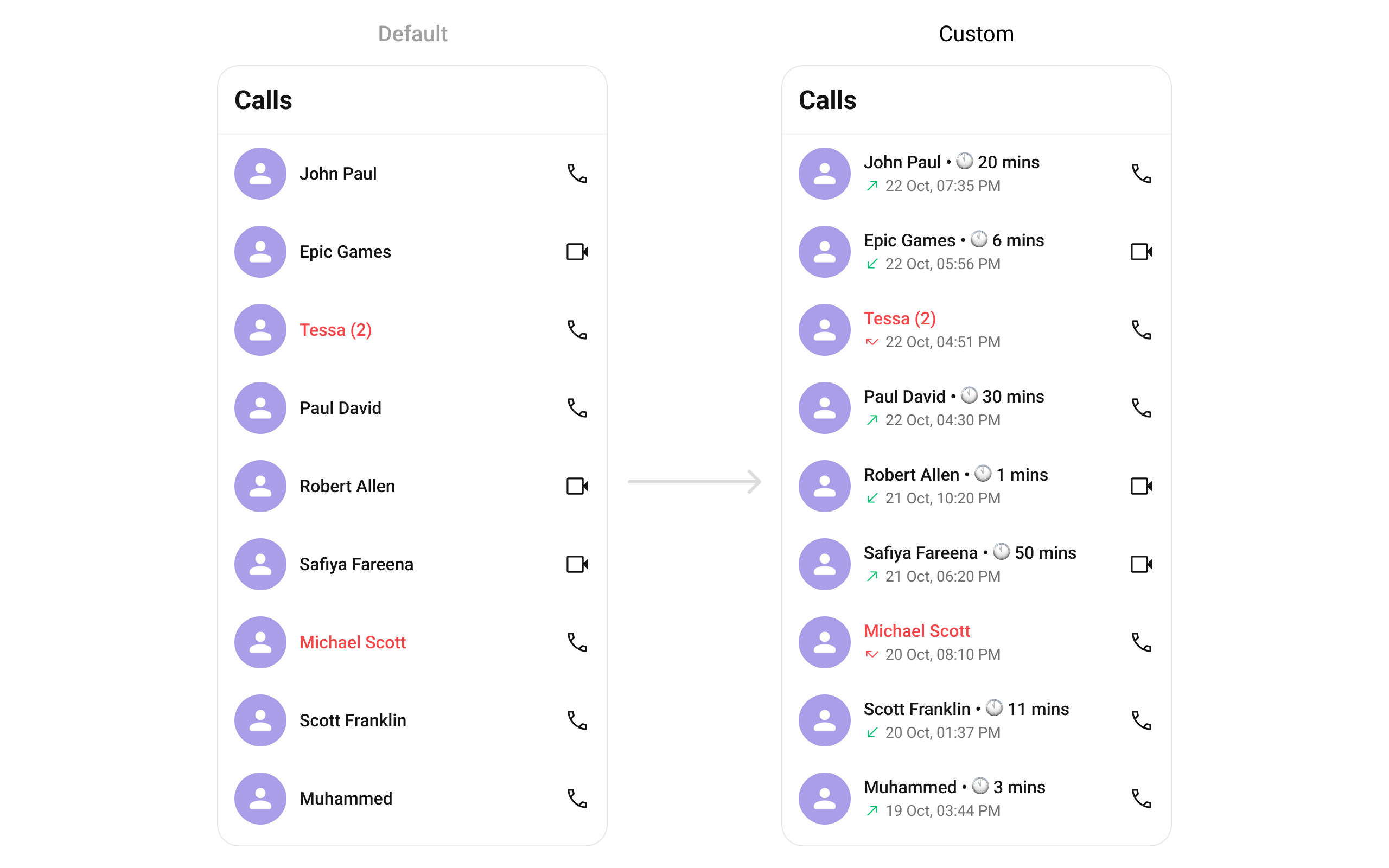
- Java
- Kotlin
YourActivity.java
setLeadingView
Customizes the leading view, usually the caller’s avatar or profile picture. Use Cases:- Display a profile picture.
- Show a call type icon (missed, received, dialed).
- Indicate call status (e.g., missed calls in red).
- Java
- Kotlin
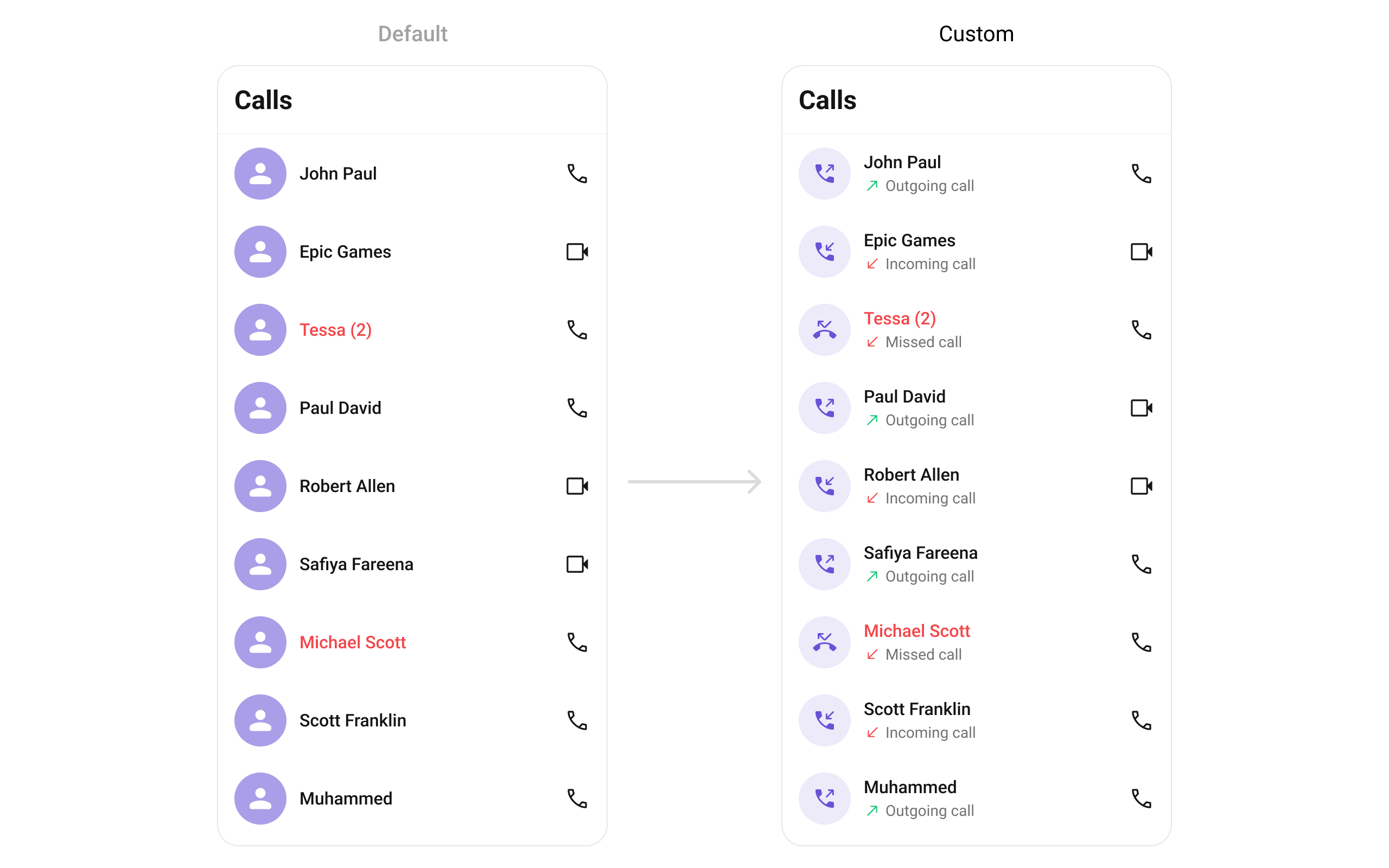
- Java
- Kotlin
YourActivity.java
setSubtitleView
Enables customizing the subtitle view, usually used for additional call details. Use Cases:- Display call type (Missed, Received, Outgoing).
- Show network strength indicators.
- Include call duration in a more readable format.
- Java
- Kotlin
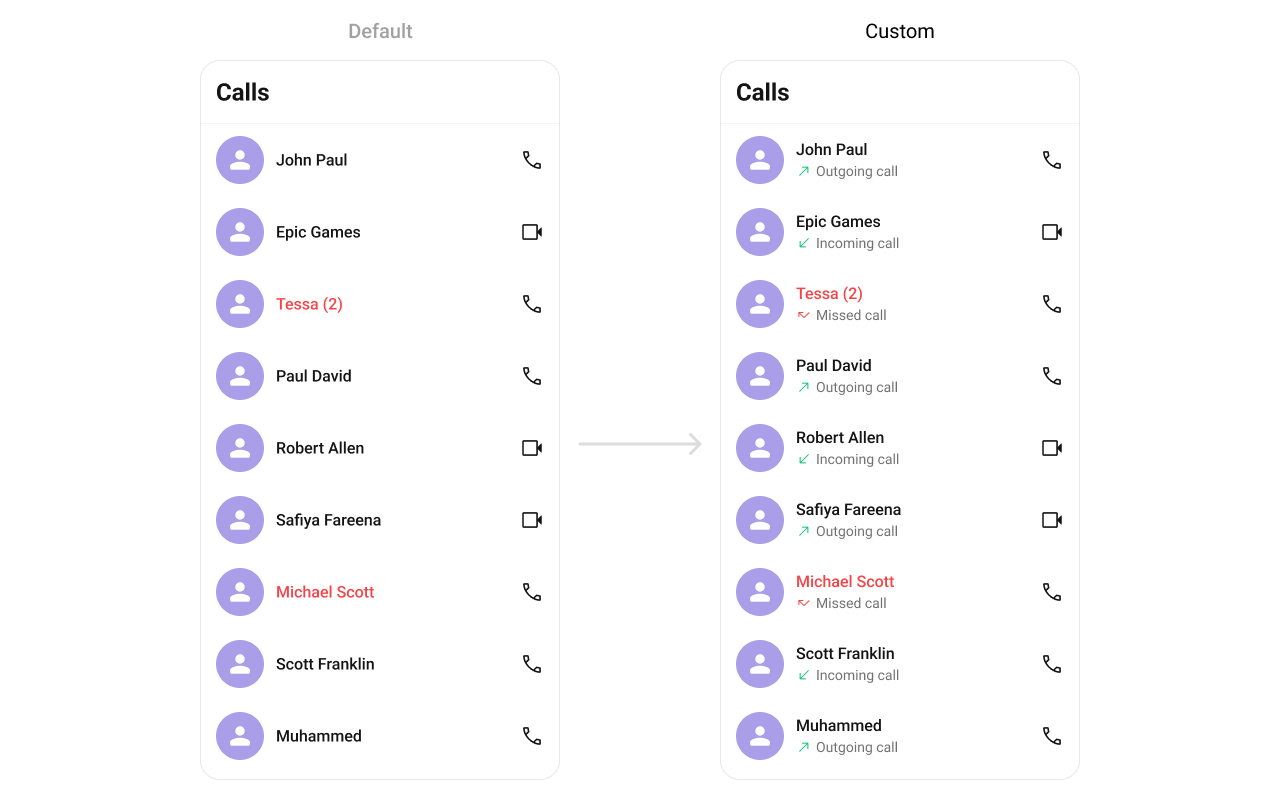
setSubtitleView which will be loaded in call log item.
- Java
- Kotlin
YourActivity.java
setTrailingView
Customizes the trailing section, typically for call duration or actions. Use Cases:- Display call duration.
- Add a “Call Again” button.
- Show call timestamps.
- Java
- Kotlin
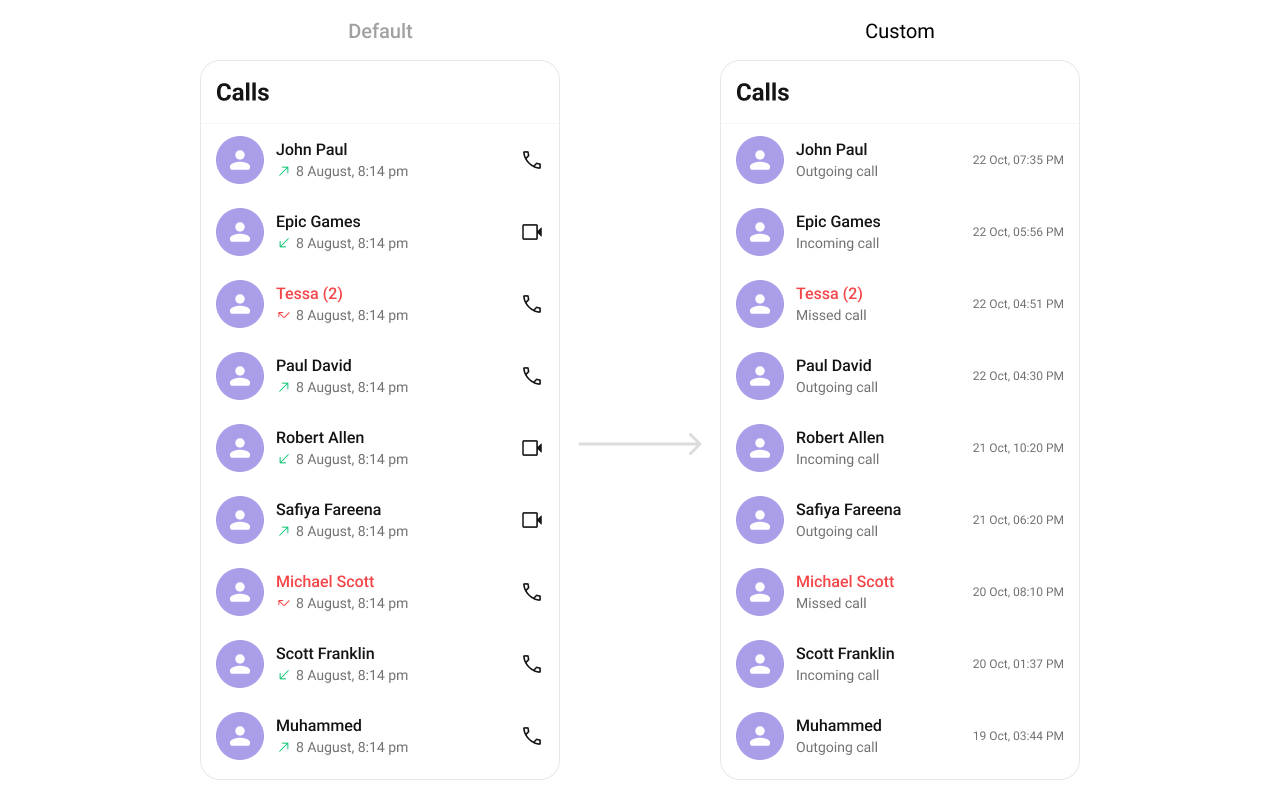
- Java
- Kotlin
YourActivity.java