

Overview
TheCometChatSearch component is a powerful and customizable search interface that allows users to search across conversations and messages in real time. It supports a wide variety of filters, scopes, and customization options. CometChatSearch helps users find messages, conversations, media, and more through an intuitive and filterable search experience. It can be embedded in multiple contexts — as part of the conversation list, message header, or as a full-screen search experience.
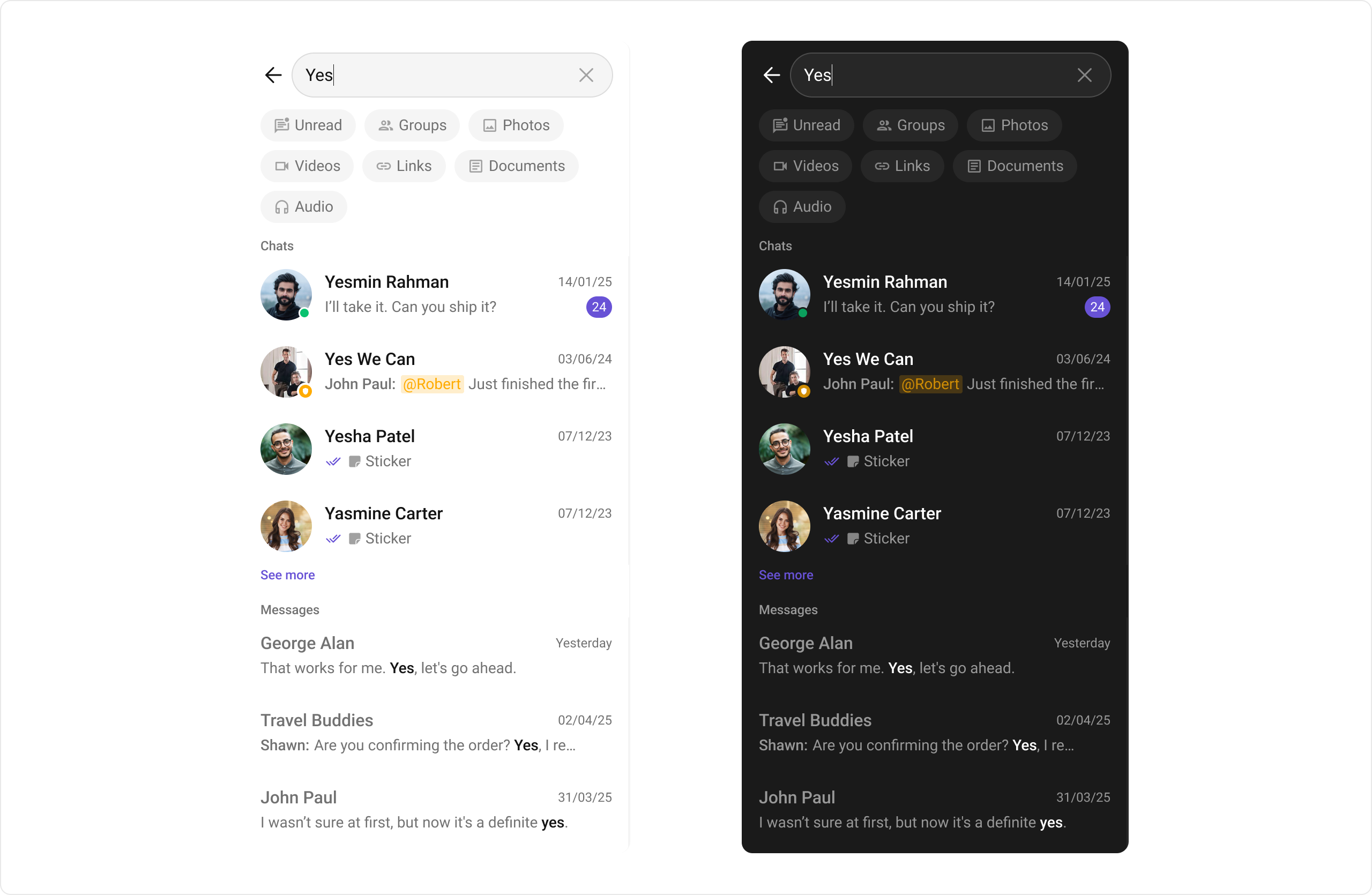
Usage
Integration
CometChatSearch, as a composite Component, offers flexible integration options, allowing it to be launched directly via button clicks or any user-triggered action.
The following code snippet exemplifies how you can seamlessly integrate the GroupMembers component into your application.
- XML
- Java
- Kotlin
Actions
Actions dictate how a component functions. They are divided into two types: Predefined and User-defined. You can override either type, allowing you to tailor the behavior of the component to fit your specific needs.1. setOnConversationClicked
setOnConversationClicked is triggered when you click on a Conversation from the search result. The onConversationClicked action doesn’t have a predefined behavior. You can override this action using the following code snippet.
- Java
- Kotlin
SearchActivity.java
2. setOnMessageClicked
setOnMessageClicked is triggered when you click on a Message from the search result. The onMessageClicked action doesn’t have a predefined behavior. You can override this action using the following code snippet.
- Java
- Kotlin
SearchActivity.java
3. setOnBackPressListener
‘setOnBackPressListener’ is triggered when you click on the back button of the search component.- Java
- Kotlin
SearchActivity.java
4. setOnError
This action doesn’t change the behavior of the component but rather listens for any errors that occur in the Search component.- Java
- Kotlin
SearchActivity.java
5. setOnEmpty
This action doesn’t change the behavior of the component but rather listens for the empty state of the Search component.- Java
- Kotlin
SearchActivity.java
Filters
1. ConversationsRequestBuilder
You can set theConversationsRequestBuilder in the Search Component to filter the search result. You can modify the builder as per your specific requirements with multiple options available to know more refer to ConversationRequestBuilder.
- Java
- Kotlin
SearchActivity.java
2. MessagesRequestBuilder
You can set theMessagesRequestBuilder in the Search Component to filter the search result. You can modify the builder as per your specific requirements with multiple options available to know more refer to MessagesRequestBuilder.
- Java
- Kotlin
SearchActivity.java
Events
Events are emitted by aComponent. By using event you can extend existing functionality. Being global events, they can be applied in multiple locations and are capable of being added or removed.
The CometChatSearch component does not produce any events.
Customization
To fit your app’s design requirements, you can customize the appearance of theCometChatSearch component. We provide exposed methods that allow you to modify the experience and behavior according to your specific needs.
Style
Using Style you can customize the look and feel of the component in your app, These parameters typically control elements such as the color, size, shape, and fonts used within the component.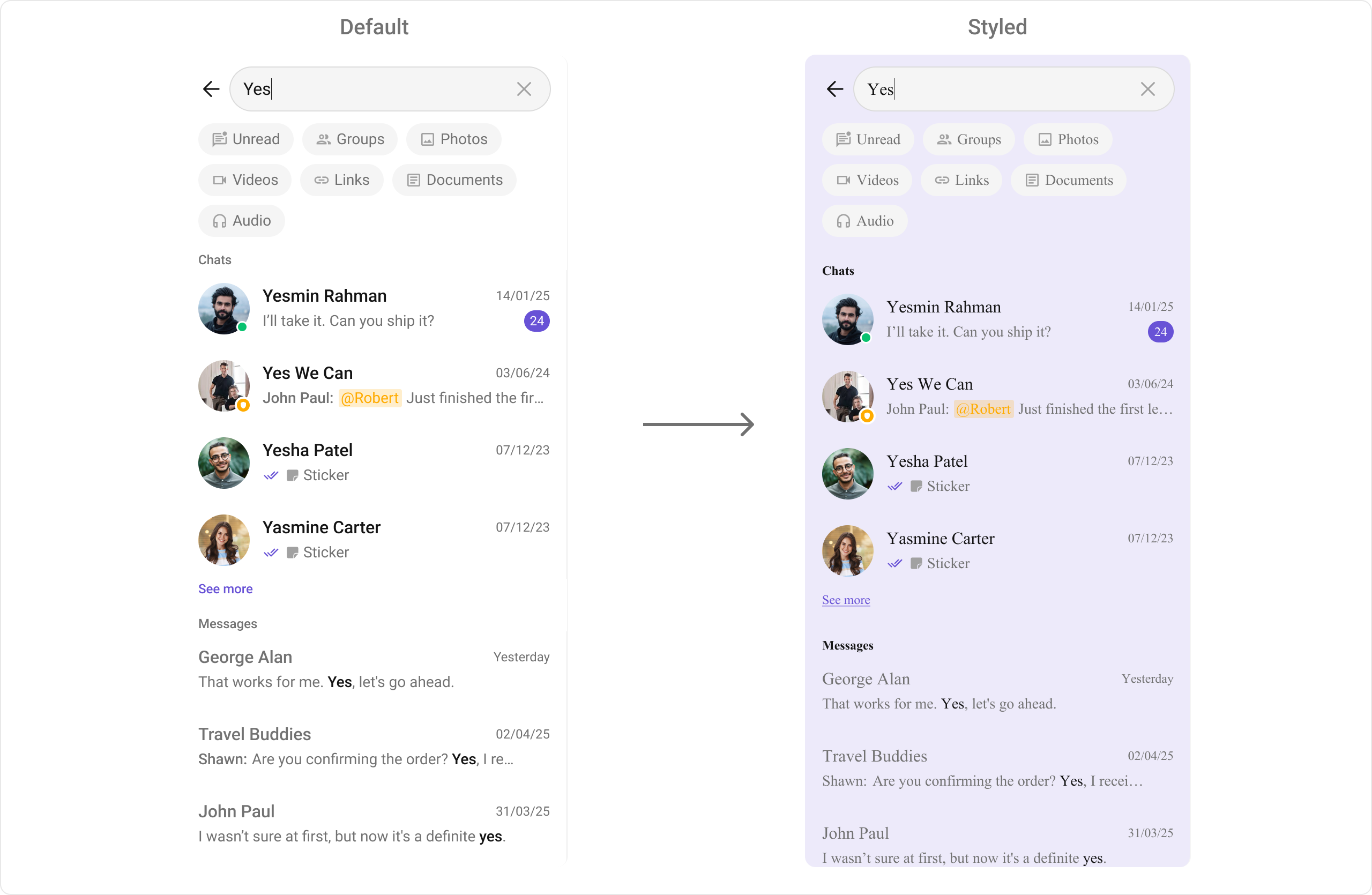
themes.xml
- Java
- Kotlin
To know more such attributes, visit the attributes file.
Functionality
These are a set of small functional customizations that allow you to fine-tune the overall experience of the component. With these, you can toggle the visibility of UI elements. Below is a list of customizations along with corresponding code snippetsAdvanced
For advanced-level customization, you can set custom views to the component. This lets you tailor each aspect of the component to fit your exact needs and application aesthetics. You can create and define your views, layouts, and UI elements and then incorporate those into the component.ConversationItemView
With this function, you can assign a custom list item view to an conversation in the search result. For more information, refer to the itemView prop of theCometChatConversations component.
ConversationLeadingView
With this function, you can assign a custom leading view of an conversation in the search result. For more information, refer to the leadingView prop of theCometChatConversations component.
ConversationTitleView
With this function, you can assign a custom title view to an conversation in the search result. For more information, refer to the titleView prop of theCometChatConversations component.
ConversationSubtitleView
With this function, you can assign a custom subtitle view to an conversation in the search result. For more information, refer to the subtitleView prop of theCometChatConversations component.
ConversationTrailingView
With this function, you can assign a custom trailing view to an conversation in the search result. For more information, refer to the trailingView prop of theCometChatConversations component.
MessageItemView
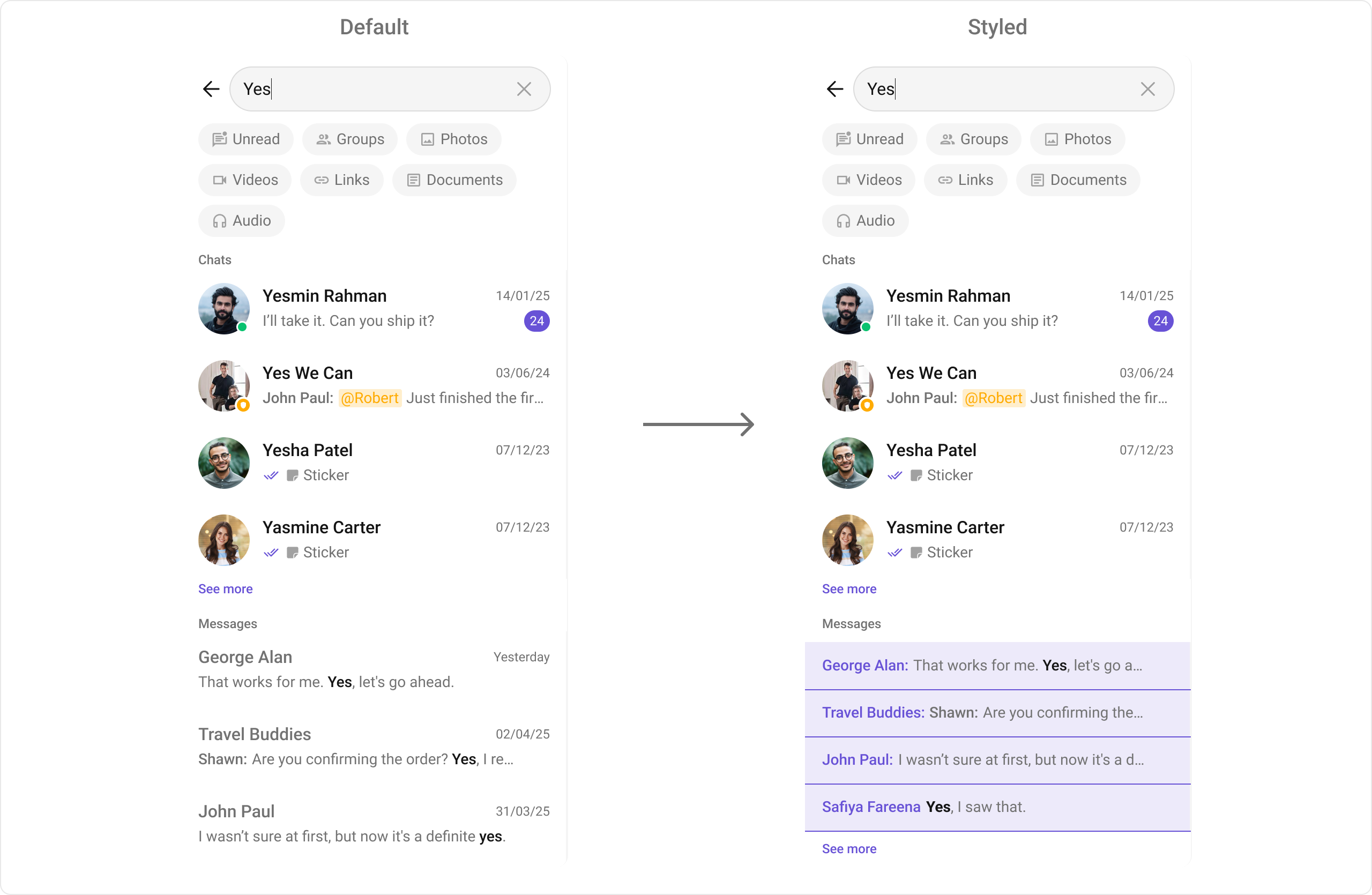
With message item view functions, you can assign custom views to different types of messages in the search result. For more information, refer to the itemView prop of theCometChatMessages component.
Here’s how you can override the default message item view with a custom one for text messages:
- XML
- Java
- Kotlin
DateTime Formatters
setDateTimeFormatter
By providing a custom implementation of the DateTimeFormatterCallback, you can configure how time and date values are displayed. This ensures consistent formatting for labels such as “Today”, “Yesterday”, “X minutes ago”, and more. Each method in the interface corresponds to a specific case:time(long timestamp) → Custom full timestamp format
today(long timestamp) → Called when a message is from today
yesterday(long timestamp) → Called for yesterday’s messages
lastWeek(long timestamp) → Messages from the past week
otherDays(long timestamp) → Older messages
minute(long timestamp) / hour(long timestamp) → Exact time unit
minutes(long diffInMinutesFromNow, long timestamp) → e.g., “5 minutes ago”
hours(long diffInHourFromNow, long timestamp) → e.g., “2 hours ago”
- Java
- Kotlin
Text Formatters
setTextFormatters
This method enables developers to define and apply text formatters that dynamically modify or transform message content before rendering it in the UI. Text formatters can be used for purposes such as:- Automatically converting URLs into clickable links
- Applying Markdown or rich text styling
- Replacing certain words or patterns with emojis or predefined text
- Censoring specific words for moderation