

Overview
CometChatThreadedMessagePreview is a Component that displays the parent message & number of replies of thread.
Usage
Integration
The following code snippet illustrates how you can directly incorporate the ThreadedMessages component into yourlayout.xml file.
- XML
Customization
To fit your app’s design requirements, you can customize the appearance of the conversation component. We provide exposed methods that allow you to modify the experience and behavior according to your specific needs.Style
Using Style you can customize the look and feel of the component in your app, These parameters typically control elements such as the color, size, shape, and fonts used within the component.Thread Header
TheCometChatThreadHeader is used in threaded message views, displaying information about the parent message and its context. It provides a seamless way to navigate between the thread and the main conversation while maintaining context.
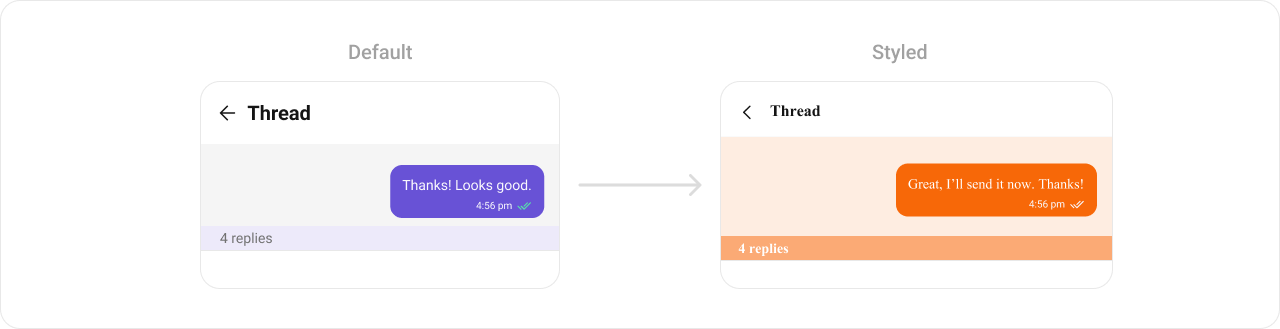
theme.xml
- Java
- Kotlin
To know more such attributes, visit the attributes file.
Functionality
These are a set of small functional customizations that allow you to fine-tune the overall experience of the component. With these, you can change text, set custom icons, and toggle the visibility of UI elements.- Java
- Kotlin